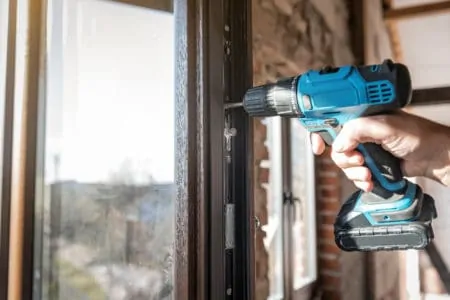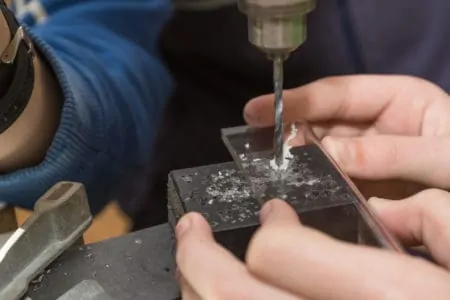
Impact drivers and drills are both important tools in the hands of carpenters and other construction professionals. Despite looking very similar, these two tools are designed for different purposes.
If you want to quickly fit a large number of screws or other fasteners, an impact driver or drill will help you do it. However, there are reasons why you might want to choose one over the other.
To help you choose the right tool for the job, we will explore the impact driver vs drill dilemma. This includes taking a closer look at both tools and then comparing the qualities that make each of them stand out.
Key Takeaways
- Impact drivers provide greater torque and are ideal for driving screws into harder materials, while drills are more versatile for various tasks.
- Drills are generally heavier and have universal chucks, while impact drivers are lighter, smaller, and have hexagonal sockets for attachments.
- For most non-professional users, a cordless drill is the better choice due to its versatility and ability to drill holes and insert/remove screws.
- Always use appropriate attachments and techniques to avoid damaging tools or materials when using impact drivers or drills.
Quick Comparison Chart
| Key Features | Impact Driver | Cordless Drill |
| Speed | Lower RPM | Higher RPM |
| Force | Greater torque | Lower torque |
| Torque control | Adjusting speed controls torque | Clutch controls torque |
| Bit Connector | 0.75-inch Hexagonal socket | Self-centering chuck |
| Versatility | Driving screws and drilling harder materials | Drilling, screwing, pilot holes |
| Ease of use | Less strain on hands and arm | Requires some force. Better for drilling |
| Noise | 96 to 104 dB | 85 dB |
| Suitable for | Drilling and driving screws into hard materials | All-round DIY and woodworking tasks |
What Is an Impact Driver?
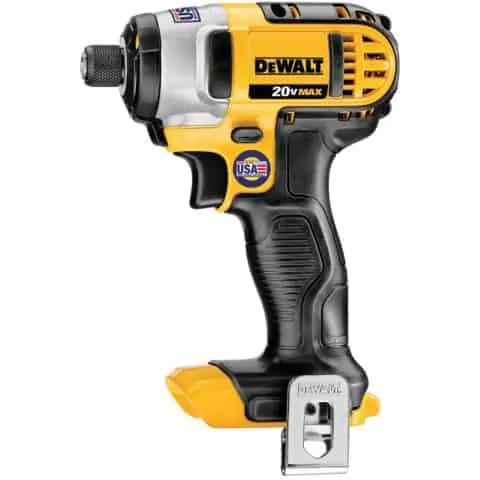
Impact drivers are also known as impact drills, a name that provides a sense of what they do. They utilize both rotational and percussive force to make round holes in materials such as wood, plastic, sheet metal, and melamine.
This separates them from standard drills. Although rotary drills can also drive screws and make round holes, they rely on rotational power. This means impact drivers are more effective for tasks such as driving screws into hardwood. The extra torque also means you can often get away with not drilling a pilot hole for the screw.
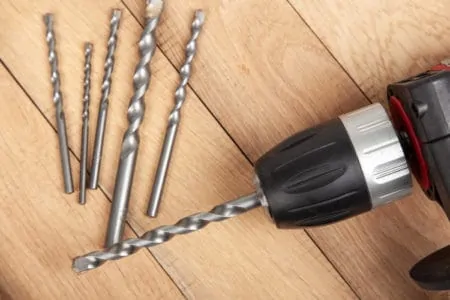
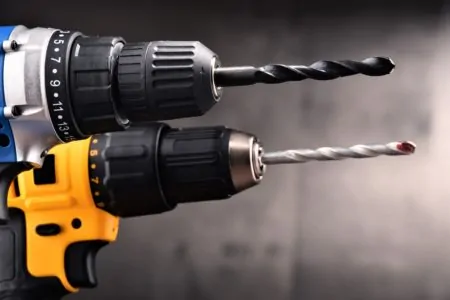
The chuck of impact drills differs from that of drills. Impact drills have hexagonal chucks that accommodate specific attachments. Most drills have a chuck system that can hold round, square, and hexagonal bits and other attachments, making them more versatile.
How Does an Impact Driver Work?
An impact drill delivers both rotational and percussive force. As the driver turns, it drives the screw into the material by rotating it and striking it with a forward motion like a hammer hitting a nail.
The force is derived from the impact mechanism behind the chuck. An internal spring compresses during the rotation before expanding again to generate impact and increased torque.
Torque provides the force needed to penetrate harder materials, which is why impact drivers are more suitable for tough screwing jobs. They don’t necessarily generate more power but they deliver that power with greater rotational strength, rather than faster motion.
Torque And Power
When to Use an Impact Driver
Impact drivers are usually smaller than power drills. They have stubby noses that make them ideal for working in tight spaces and allow you to get closer to the spot you are working on.
As impact drills produce greater torque, they are well-suited to driving screws and anchors directly into hardwood, MDF, melamine, and metal. The only drawback is that impact drivers have hex-shaped chucks, which could limit your drill bit options.
If you are working on a project such as a garden shed and need to assemble a frame quickly, the ability to drive long screws into the wood without pilot holes will benefit you greatly.
Impact drivers also reduce the strain on your hand and wrist. The added torque means the tool will provide all the force required, so you won’t need to manually apply pressure.
Other examples of jobs where impact drivers excel include fitting plasterboard or decking. Both of these jobs can require large numbers of screws, so being able to insert them quickly without predrilling your panels and joists will speed things up considerably.
Pros
- Greater torque
- Lightweight
- Compact
- Drives screws and anchors
- Drills
- Better for dense materials
Cons
- Hexagonal socket for specialist bits
- Limited bit sizes
- Drills are better for drilling
What is a Drill/Driver?
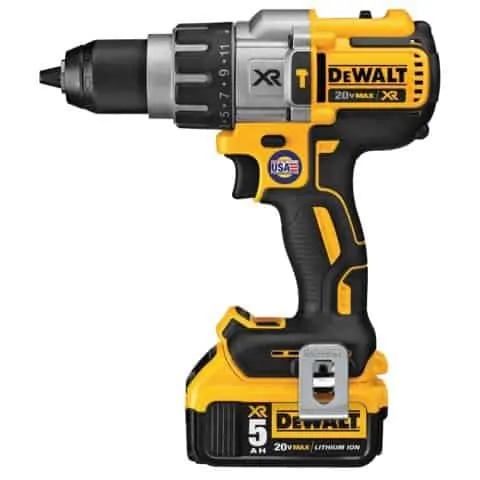
Drills are among the oldest tools in the that are still used, and even power drills have been in use for over a century (1). The primary purpose of drills is to create holes in various materials including wood, plastic, drywall, melamine, and MDF.
However, modern drills have chucks that can accommodate numerous attachments including screwdrivers. This means they can be used to drive screws and anchors into softer materials such as wood, drywall, and many others.
They are versatile and can be adapted to many DIY and professional tasks. For this reason, a power drill might be the most versatile tool in anybody’s collection.
How Does a Cordless Drill Work?
Cordless drills are powered by batteries, typically lithium-ion ones in modern models. These batteries are charged using electrical outlets, then clipped to the base of the drill handle. They should provide enough power to make numerous holes or insert many screws.
The driver or drill bit is inserted into the chuck and either tightened by hand on self-tightening drills or by using a chuck key. The power generated by the drill’s motor is transferred to the drill bit, which spins to bite into the material or turn the screw you are inserting.
Keep In Mind
When to Use a Cordless Drill
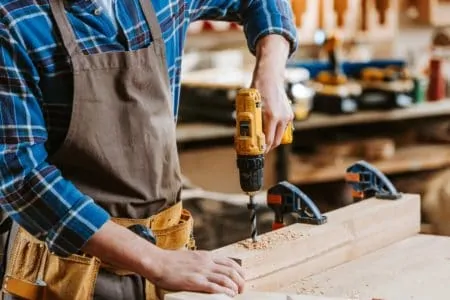
Cordless drills are very versatile. If you are making home improvements or undertaking a renovation project, you will almost certainly find a use for one. If you are fitting something such as kitchen cabinets, a cordless drill will help you do it precisely and quickly.
On the other hand, if you are disassembling something, cordless drills are also ideal as they have a reverse setting. This will help you quickly remove stubborn screws with very little effort.
Cordless drills are very portable, which means they can be taken to jobs and used anywhere you need them. You won’t need to stay near electrical outlets, but you will need to remember to charge your battery before you start.
Again, drills are ideal for making round holes in softer materials, as this is what they were designed for. They can also be used to make pilot holes in wood that might otherwise split if you try to drive a screw in without pre-drilling it.
Pros
- Can be used anywhere
- Lightweight
- Drills holes
- Drives screws
- Versatile
- Inexpensive
- Quieter than impact drivers
Cons
- Lacks power compared to impact drivers
- Only suitable for softer materials
- Larger than impact drivers
- Lower torque
Impact Driver vs. Drill
By now, you are probably familiar with some of the differences between impact drivers and drills. Impact drivers have more torque and are better for tougher materials. They can drive long screws into hardwood, plastic, melamine, MDF, and even some metals.
Drills are suitable for everyday applications such as drilling wood, drywall, plastic, melamine, and MDF. They can also be used as drivers for inserting screws into various materials. However, as drills lack the torque of impact drivers, you might need to predrill holes before inserting screws.
Drills are usually heavier, which places a greater strain on your hands and wrists. Impact drivers are smaller and have a stubby appearance, which means they are lighter and better for working in small spaces.
Do You Need a Drill If You Have an Impact Driver?
An impact driver will do some of the same things that your cordless drill does. It can drive screws into harder materials and it will drill holes in wood and other semi-hard surfaces. However, if you want a great all-around tool for various applications, choose a cordless drill.
Drills have a chuck that holds the drill bit or driver. These chucks are generally universal, which means they can hold square, hexagonal, or round attachments in place. Impact drivers have a hexagonal socket that can only hold hexagonal attachments. This means they are far more limited in terms of which bits and attachments you can use.
FAQs

What Should You Not Use an Impact Driver For?
An impact driver is a powerful tool that can make quick work of tightening or loosening screws, bolts and nuts. However, while you may be tempted to use it for other tasks, there are things impact drivers shouldn’t be used for.
As it’s designed to deliver short bursts of power through the fasteners, an impact driver can be too powerful for delicate plastics or softer metals such as aluminum.
Plus, an impact driver on machine screws can strip their threads and potentially damage the fastener or the item being secured.
Lastly, although some impact drivers have a hammering mode suitable for light demolition work, they should never be used to break concrete or masonry as this isn’t what they were designed for and could result in injury.

Can You Use an Impact Driver to Drill Holes in Concrete?
An impact driver can be useful for drilling smaller holes measuring up to 1/4 inch in both concrete and brick. So, consider this functionality and whether it can be used as a cost-effective choice for the job.

Can a Drill Driver Go Through Brick?
In short, yes, a drill driver can penetrate through brick. While it is a hefty task, the power of drill drivers can make it possible to bore through masonry and concrete-like surfaces. There are different types of drill bits as well that provide greater precision and a smoother final product.
It is important to remember that extra layers of protective gear should be worn when using this tool because when put under enough pressure they can be particularly dangerous.

Is It Ok to Use Impact Bits In a Regular Drill?
Torque is an important factor when deciding which drill bit to use, and impact bits generally output higher levels of torque than regular drill bits.
Therefore, it’s ok to use impact bits in a regular drill as long as the user takes the necessary precautions to ensure that the bit doesn’t break or become damaged due to the lower level of torque.
To ensure maximum efficiency, users should ensure that their drill is properly adjusted for the correct bit. With a little precaution and understanding, using materials designed for more powerful drills in a standard drill can be a safe and viable option.

Why Does My Impact Driver Strip Screws?
One of the most common reasons an impact driver can strip screws is due to worn or broken bits. Bits that are worn from overuse, or very old and damaged, can lead to the screw slipping instead of properly gripping it for a successful power session.
To prevent this, it is important to use fresh and high-quality bits as well as to regularly inspect them for any wear and tear that would render them ineffective.
Another cause could be applying too much pressure on the head of the screw which leads to overloading and stripping of the screw even with a properly working bit in place.
It’s essential that you are not adding too much force while tightening screws, as this can lead to irreparable damage in the long term.
Making an Impact
In an ideal world, it is worth buying both an impact driver and a drill, as they each excel in different areas. Impact drivers are excellent at inserting screws into various materials quickly, but drills are designed to drill holes and do this very effectively.
However, if you aren’t a professional, buying both tools might be overkill. If you are working within a budget, you should probably choose a drill over an impact driver. Cordless drills are excellent for inserting and removing screws, even if your work takes a little longer to complete, so you should be able to get by without an impact driver if you have to choose.